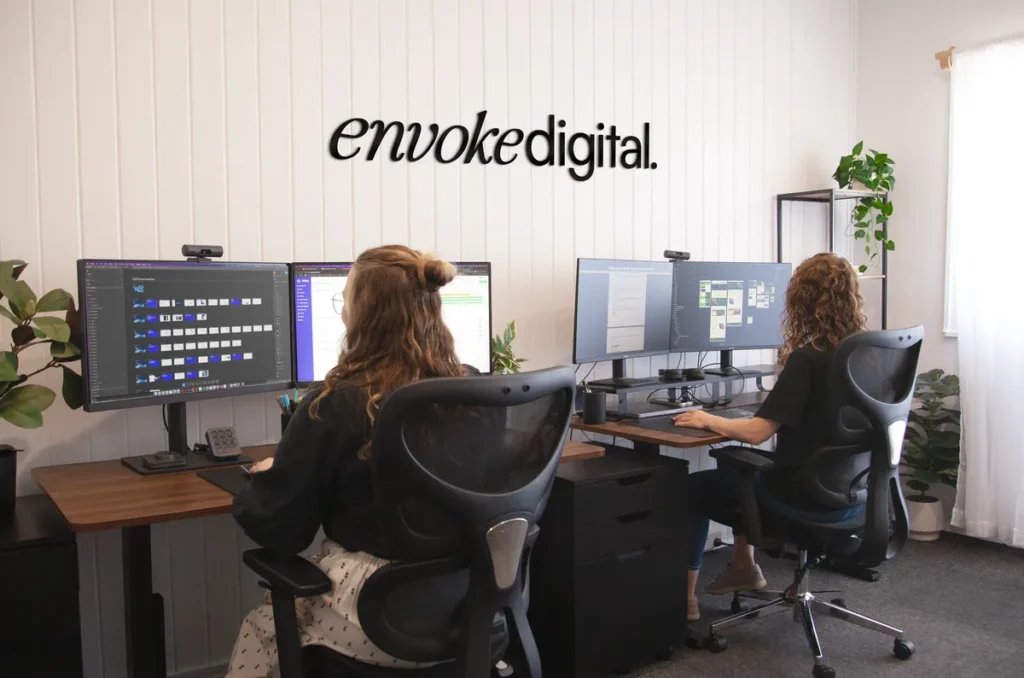

Most websites are good at one thing and weak at the other – beautifully designed but slow and hard to maintain, or technically solid but visually forgettable. A WordPress web designer at Envoke Digital does both, end to end. Design and development sit under the same roof, backed by a high level of attention to detail and workflows that are constantly refined. This guide covers what the role actually involves, and how to tell a genuine WordPress web designer from someone who’s simply installed a theme.
What is a WordPress web designer?
A custom WordPress web designer plans, designs and custom-builds a website on WordPress, rather than installing a pre-made theme and calling it finished.
Off-the-shelf WordPress themes are often bloated and built on old-school code that wasn’t designed for how websites need to perform today. A custom WordPress web designer builds your site to your specific requirements, using dynamic data so your website can grow with your business without needing a designer every time you add a page.
Custom animation, interactions and layout also matter more than they might seem. First impressions form fast: research suggests it takes users around 0.05 seconds to form an opinion of a website, and 88% of online users won’t return to a site after a bad experience. With over 62% of all web traffic now coming from mobile phones, a theme that wasn’t properly built for mobile – even if it looks fine on desktop – is already working against you before a visitor reads a single word.
WordPress web designer vs. WordPress developer: what’s the difference?
A WordPress web designer focuses on how a site looks, feels and functions for the visitor. A WordPress developer focuses on the backend code that makes it run. The team at Envoke Digital works as both, offering full end-to-end design and development for every WordPress site (you might also see this called front-end WordPress development).
Doing both under one roof removes the risk of misinterpretation between the design and development phases. Design without development input doesn’t account for technical complexity and can result in a beautiful mock-up that’s difficult or expensive to build. Development without design input doesn’t account for design principles and user experience and can result in a technically sound site that’s clunky or forgettable to use.
Because the Envoke Digital team designs with development in mind, every design decision is made knowing exactly how it will translate to working code, rather than a developer later interpreting someone else’s design in their own way. The result is a faster, more strategic build with fewer surprises once development begins.
What does a WordPress web designer actually do, day to day?
A WordPress web design project moves through discovery, strategy, design and development – not just theme customisation.
A typical project at Envoke Digital looks like this:
- Client discovery and a strategic workshop, looking at business goals and how the new website will support them
- Research into target audience, competitors, required features and integrations
- Site maps and wireframes to plan structure before any visual design begins
- High-fidelity design in Figma, including interactive prototyping
- Presentation of the design for feedback
- Revisions and approvals
- Development in WordPress, including custom post types and Advanced Custom Fields (ACF) so the site is easy to update later
- Building templates and individual pages to match the approved Figma designs
- Setting up metadata and schema markup: the finicky, easy-to-overlook technical details that help search engines and AI tools understand and correctly display your site
Every stage exists to make sure the finished website is built on a strategy, not just a starting template. The work doesn’t stop at launch, either. Envoke Digital also offers ongoing WordPress maintenance, covering backups, updates to plugins, themes and WordPress core, security and malware checks, hosting setup and management (including DNS records), and setup and management of integrations like Google Analytics, Google Search Console, Tag Manager and cookie consent tools.
The tools and skills behind great WordPress design
A professional WordPress design stack is built for purpose, not assembled from whatever plugin happens to promise a quick fix.
At Envoke Digital, this toolkit includes:
- Figma: for design and interactive prototyping
- Illustrator: for custom illustrations and vector graphics where needed
- WordPress with Bricks: as the page-building and development framework
- GSAP, JavaScript and Lottie: for custom animations
- A lean, deliberately minimal plugin stack
Bricks Builder is central to this approach. Rather than reaching for a separate plugin every time a site needs custom functionality, Bricks allows that functionality to be built directly into the code. Fewer plugins mean far less security risk, and far less chance of integrations breaking or conflicting with each other down the line – a common failure point in DIY or template-based WordPress sites.
This is the core difference between a professional stack and a DIY one: every tool is chosen with the end result in mind, and kept as lean as possible, rather than stacked on reactively as issues come up.
DIY WordPress vs. hiring a professional designer
A DIY WordPress website often looks fine on launch day, but the real costs tend to show up months later.
Common risks of a DIY or template-based build include:
- SEO fundamentals done incorrectly or skipped entirely: semantic code, schema markup, and Google optimisation basics like sitemap submission are easy to miss without technical experience
- Security vulnerabilities from outdated or conflicting plugins
- A first impression that’s inconsistent with the rest of your marketing
- Contact details or key information that are hard to find
- Conflicting plugins that break features, or take the whole website down
- Poor colour contrast and non-compliance with accessibility and privacy requirements
- Slow loading times
- Generic design with nothing to differentiate you from competitors
- No underlying marketing strategy: meaning no real thinking about lead generation, and a website that exists rather than one that actively works to convert visitors
Each of these comes at the trust of your audience, and search engines penalise slow, insecure, inaccessible or poorly optimised sites directly. The end result is often spending more (time and money) later to fix a messy, broken website than it would have cost to build it properly from the start.
WordPress or Webflow? How we help clients choose
The choice between WordPress and Webflow isn’t made on a whim. The optimal choice is selected at the discovery stage of a project, once we have a real understanding of a client’s current and future website needs. Getting this right matters more than picking a trendy platform, since the wrong fit can limit a business as it grows.
WordPress suits complex, data-heavy websites. Webflow can suit simpler builds, though it carries its own learning curve for newcomers managing their own site.
WordPress is generally the stronger fit for websites with multiple custom post types, blog categories, service listings or location pages, and for complex site maps with layered user journeys. Its plugin ecosystem also means almost any functionality can be added as your business grows. We’ll cover the full comparison, platform by platform, in a dedicated Webflow vs. WordPress guide.
How Envoke Digital approaches WordPress web design
Every Envoke WordPress website starts with research and strategy, not a theme.
Before any design work begins, the our WordPress web designer’s process includes site maps, wireframes, discovery workshops, keyword research and competitor research. UX design and customer journey mapping sit at the centre of this: understanding how a real visitor will move through the site, what they need to find and when, before a single page is designed. This means truly understanding the goals, sales targets, personal ambitions and pain points of our clients, and combining that understanding with design and development experience to solve real problems.
What does it cost to hire a WordPress web designer?
Hiring a professional WordPress web designer is rarely the cheapest option, but it’s the option built to pay for itself. Pricing depends on the size, complexity and features of your website, so there’s no single flat rate. What matters more than the upfront number is the return: investing in the right designer means your website should actively generate leads, and therefore income, rather than sitting online as a static brochure. Get in touch directly for a tailored quote based on your specific project.